
Roof to proposal.
Under two minutes.
SolarView uses AI to scan any roof, field or commercial building — detecting pitch, azimuth and obstructions, placing MCS-compliant panels, and generating a branded PDF proposal with PVGIS yield data. All inside PlanScan AI.
- <2 min roof to proposal
- MCS compliant
- No extra cost
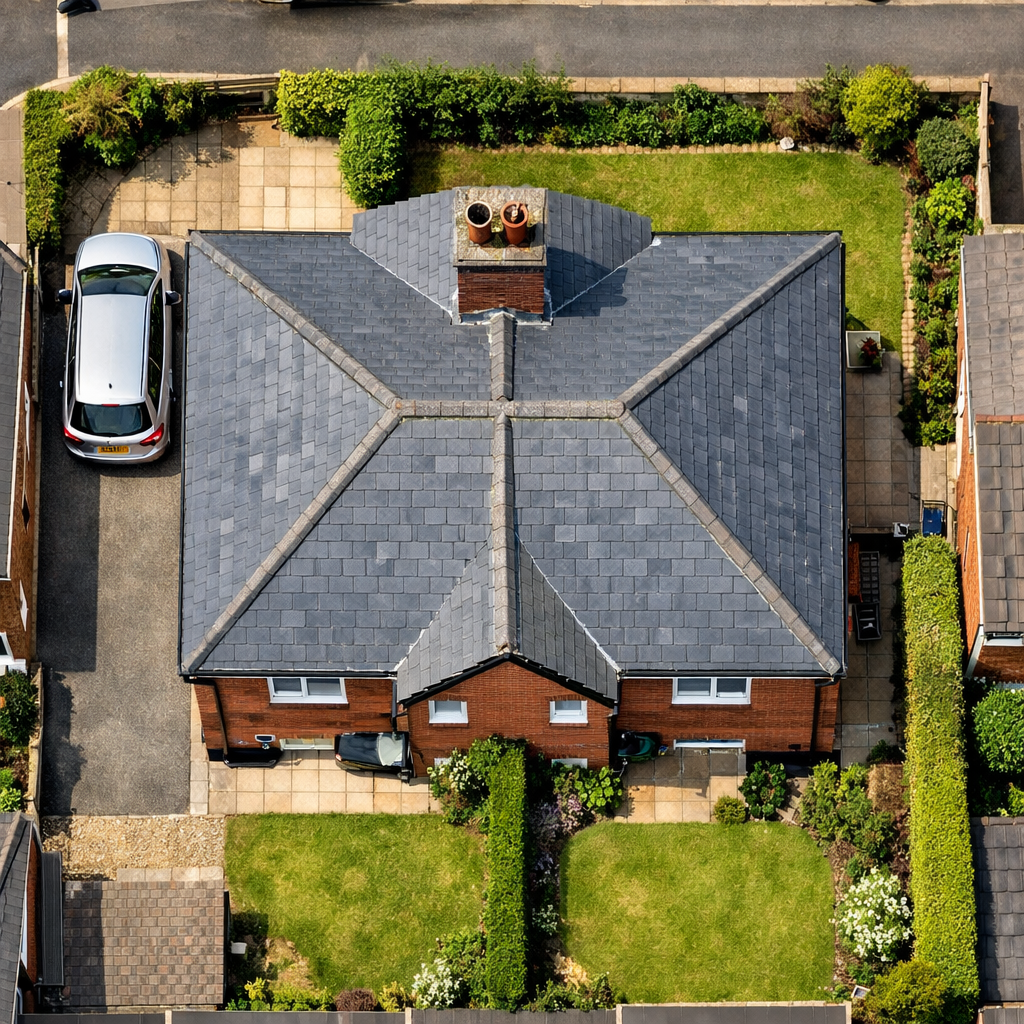
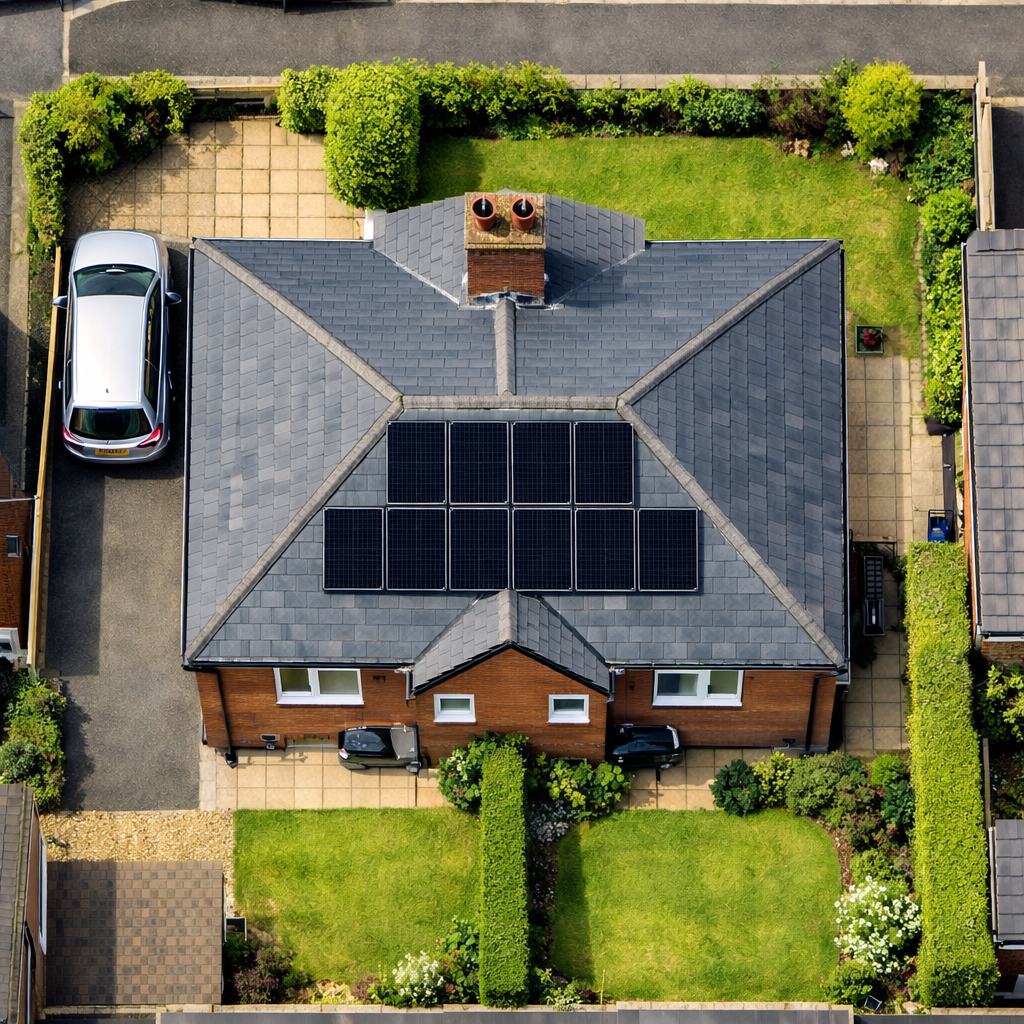
Watch SolarView design a solar layout in real time.
From satellite image to MCS-compliant panel layout to branded PDF proposal — in under two minutes.
Tap the speaker icon to unmute and hear the walkthrough.
Drag to reveal the transformation.
SolarView overlays perspective-correct solar panels onto your photo — giving clients a realistic visual of the finished installation before a single panel is ordered.
Four steps. One complete proposal.
SolarView handles every stage of the solar assessment workflow — from roof detection to branded PDF output.
Detect
AI detects usable roof surfaces — pitch, azimuth, obstructions (chimneys, skylights, ridge lines) — on residential, commercial and ground-mount sites.
Layout
MCS-compliant panel placement with 300mm edge and 600mm ridge setback rules applied automatically. Drag to reposition panels manually if needed.
Render
Perspective-correct panel overlay on the original photo. Before/after slider generated automatically for client presentations and proposals.
Output
Branded PDF with your logo, MCS number, panel specs, estimated kWp, and PVGIS annual yield data — ready to send to the client.
Every solar opportunity. Every site type.
SolarView isn't just for house roofs. It covers the full spectrum of UK solar installation — from terraced homes to warehouse rooftops to open-field arrays.
Houses & domestic roofs
Detached, semi-detached, terraced, bungalows — SolarView handles all UK housing stock. Pitch detection works on both modern and Victorian roof profiles.
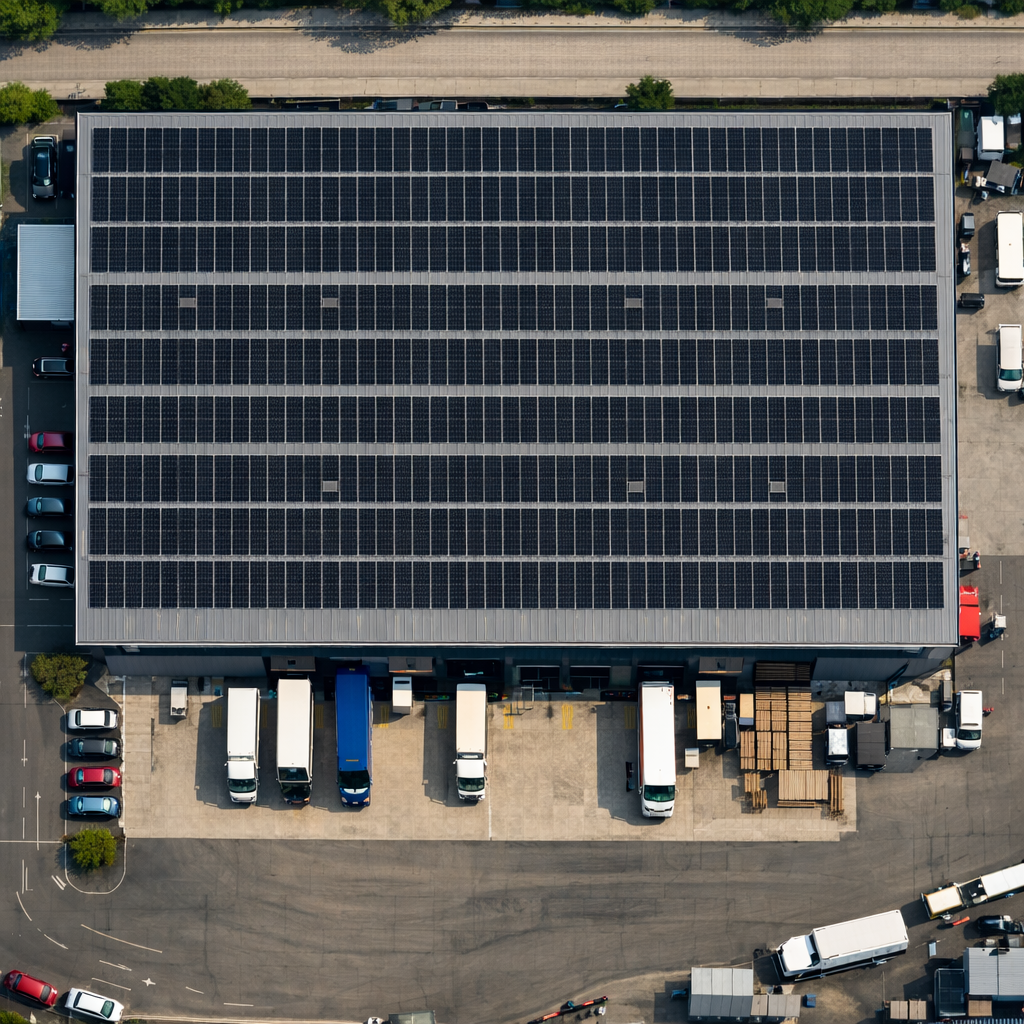
Warehouses & commercial buildings
Large flat or pitched roofs on industrial units, offices and retail. SolarView scales to multi-thousand square metre roof areas with automated row and string planning.
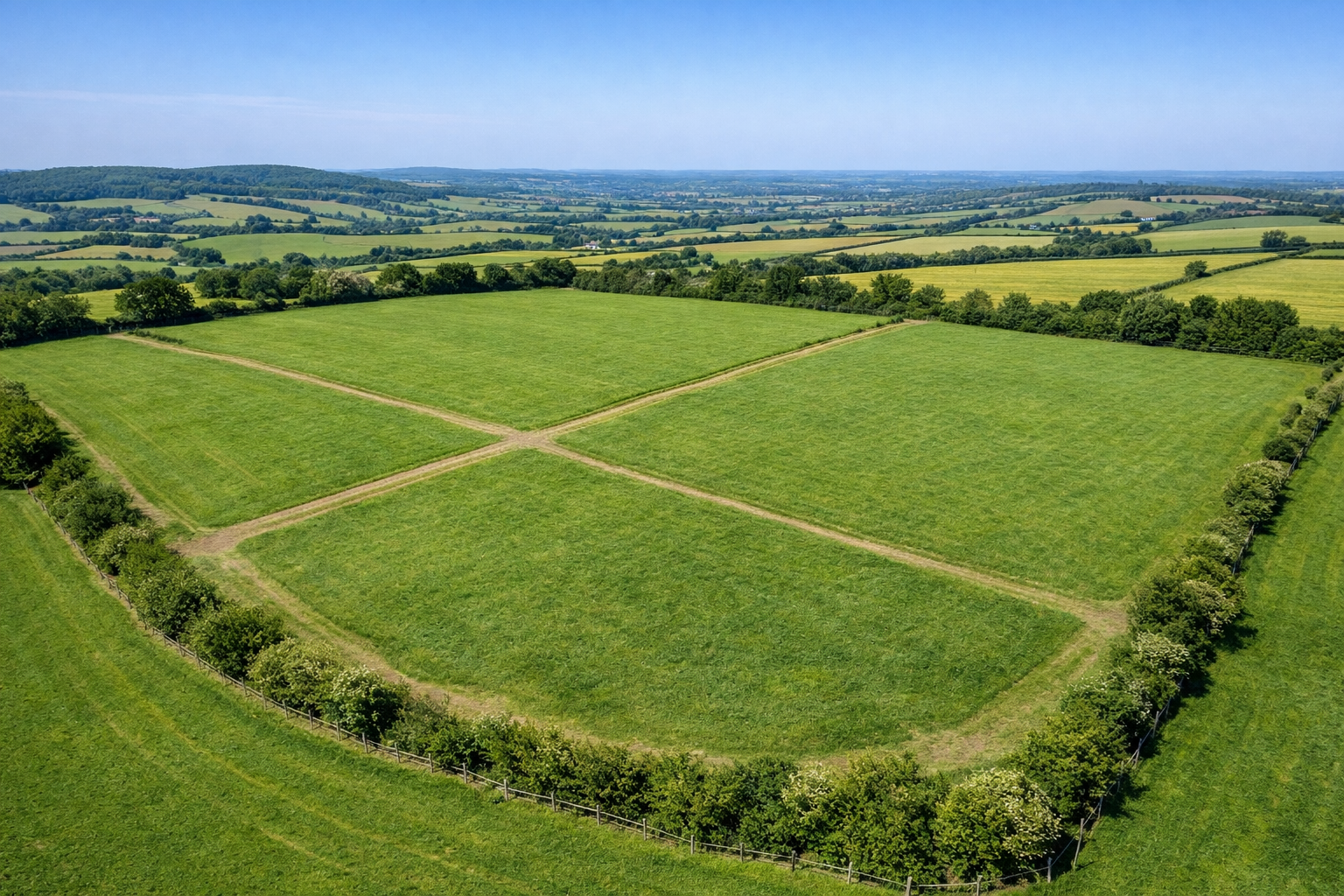
Fields & ground-mount arrays
Open land, agricultural sites and solar farms. Boundary detection, row spacing optimisation and east/west vs south-facing analysis for maximum annual yield.
Everything a solar installer needs. Nothing they don't.
A focused, professional toolkit — not a bloated American SaaS product built for a different market.
Roof Detection AI
Automatically identifies usable roof faces, pitch angle, compass azimuth and surface obstructions from a single overhead image or photo.
MCS-Compliant Layouts
300mm edge setback and 600mm ridge setback enforced automatically. Every layout meets MCS 012 installation standard requirements.
Branded PDF Proposals
Your logo, MCS certification number, company details and colour scheme applied to every proposal PDF. Looks like you built it from scratch.
Before/After Slider
Interactive before/after comparison generated automatically. Drag to reveal the solar overlay — embed in emails or send as a link to clients.
PVGIS Yield Data
UK postcode-accurate annual yield estimates using EU JRC PVGIS irradiance data. Shows kWh/year, CO₂ offset and estimated bill savings.
TradeCalc Integration
One-click handoff to Solar in Real Life's TradeCalc — passes panel count and kWp directly into the payback and savings calculator.
Drag to Reposition
AI places panels automatically, but you stay in control. Drag individual panels to adjust, remove or reposition — the layout re-validates against MCS rules live.
Obstruction Detection
Chimneys, skylights, roof windows, vents and satellite dishes are identified and automatically excluded from the panel placement zone.
Built for the UK. Tuned for British roofs.
Most solar design tools were built abroad — for different weather, wiring rules and roof shapes. SolarView is built ground-up for UK housing stock, MCS 012 setback rules and PVGIS irradiance data.
MCS 012 setback rules
300mm edge and 600mm ridge setbacks applied automatically. No manual fiddling, no missed compliance.
PVGIS irradiance data
Yield figures backed by the European Commission's PVGIS database — not US irradiance curves.
UK housing stock
Calibrated on real UK rooflines — terraced, semi-detached, Victorian dormers and modern new-builds.
TradeCalc payback handoff
One click passes your design into TradeCalc for instant payback, ROI and finance maths on the same proposal.
Try SolarView on five real properties. No card required. See exactly what it produces before you pay.
- ✓ 5 drawings total
- ✓ Residential roofs only
- ✓ MCS 012 setback rules
- ✓ PVGIS yield estimate
- ✓ Standard PDF proposal
- • Drawings & PDFs are watermarked
- • No commercial or ground mount
- • No before/after renders
Everything unlocked. Unlimited proposals, every site type, fully branded, no watermarks.
- ✓ Unlimited proposals
- ✓ Residential, commercial & ground mount
- ✓ No watermarks on drawings or PDFs
- ✓ Your logo & colours on every proposal
- ✓ Before/after visual renders
- ✓ TradeCalc payback handoff
- ✓ Team accounts (up to 5)
- ✓ Priority support · Cancel anytime
Prices in GBP. No VAT charged. Early-access users lock in £29/mo for 12 months.
From panel count to payback maths.
Once SolarView has designed the layout, one click passes your panel count, system kWp and annual yield estimate directly into Solar in Real Life's TradeCalc calculator — so your client sees the full payback picture without manual data entry.
No copy-pasting. No spreadsheets. The handoff is seamless.
View TradeCalcBuilt for every type of solar professional.
Whether you're quoting domestic installs or planning a 5MW ground array, SolarView has a workflow for your business.
Win more residential quotes faster
MCS-registered solar installers can generate a compliant proposal, complete with before/after renders and PVGIS yield data, before the customer conversation is even over. Turn a site visit into a signed quote the same day.
- MCS 012 setback rules enforced automatically — no manual checking
- Branded PDF with your logo and MCS number — professional from day one
- Works on all UK housing stock — Victorian terrace to modern new build
- PVGIS yield estimate calibrated for UK irradiance zones by postcode
- One-click TradeCalc handoff for full payback and savings calculation
Quote large commercial roofs at scale
Industrial units, offices, logistics sheds — large commercial roofs need accurate panel counts and string planning to put together a credible tender. SolarView handles roof areas of any size with automated row planning and optimum orientation analysis.
- Large flat-roof support — warehouse and industrial rooftop planning
- Row spacing optimisation for ballasted flat-roof arrays
- Multi-roof section analysis with separate yield calculations per zone
- Professional proposal output suitable for client board presentations
Plan ground-mount and field arrays
For developers working on agricultural land, brownfield sites or open-field solar farms, SolarView provides boundary detection, row pitch optimisation and east/west vs south-facing azimuth comparison to maximise annual yield.
- Field boundary detection from satellite or drone images
- Row spacing and inter-row shading calculations
- East/west vs true south orientation comparison with yield delta
- PVGIS data for the exact site postcode — accurate to irradiance zone
Pre-planning solar visuals for property professionals
Estate agents, property developers and architects can use SolarView to produce realistic solar visualisations as part of planning applications, sales listings or sustainability assessments — without needing a solar installer on site first.
- Realistic before/after renders for sales listings and planning docs
- Estimated kWp and yield data for EPC and sustainability statements
- No solar installer or specialist survey required at the visualisation stage
- PDF output suitable for planning application supporting documents